LinQ2 P-Series Webservice Integration Guide
1. FAQS
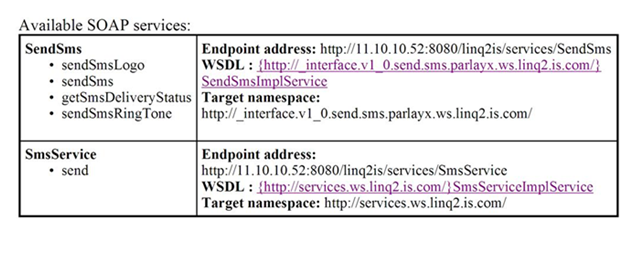
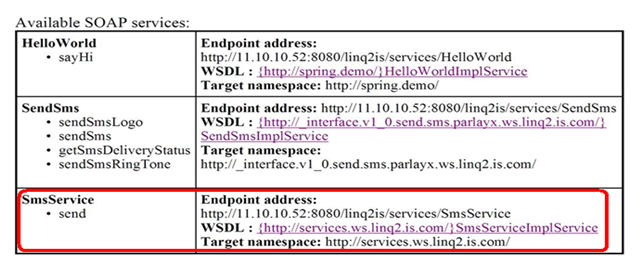
1. 1 How can I access list of exposed web Services by LinQ2 system?
Start LinQ2 application and access list for web service exposed by LinQ2 system using following URL.
Example:-
http://11.10.10.52:8080/linq2is/services
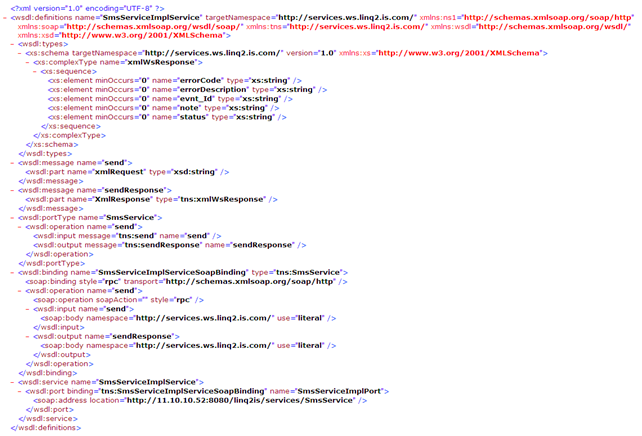
1.2 How to get WSDL document for any exposed service?
Click WSDL hyperlink showing in previous screen and user will be able to see the generated WSDL document.

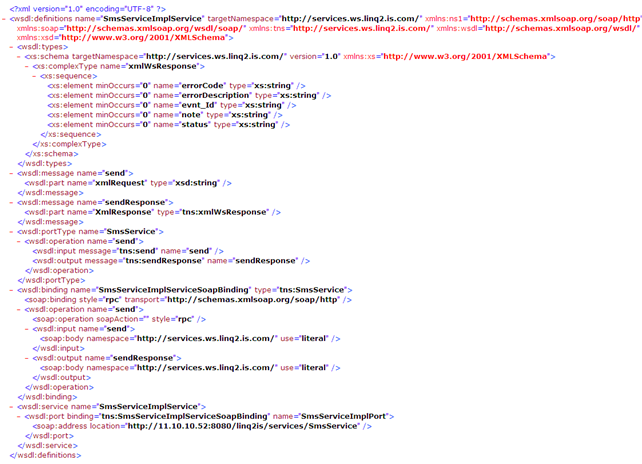
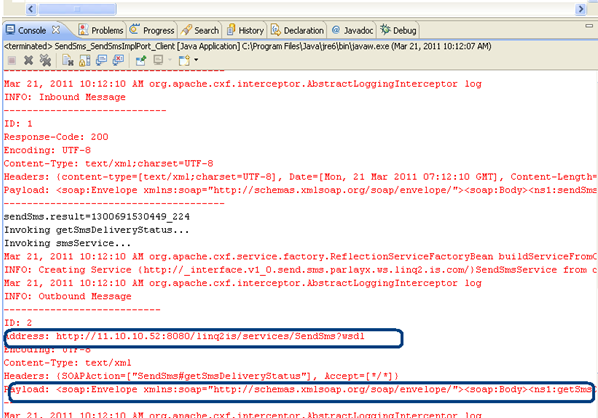
Check the WSDL SOAP request and response format. Create Sample Request and Test Web Service using any open-source tool e.g SOAPUI.
2.WEB SERVICE DEFAULT XML
2.1 Introduction
Consumer can send SMS/Email using default xml format via this web service.
Consumers can access this web service from exposed web service list.
More information of XML, please refer to XML documentation.
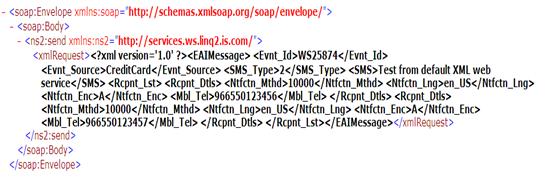
Sample SOAP Request:-
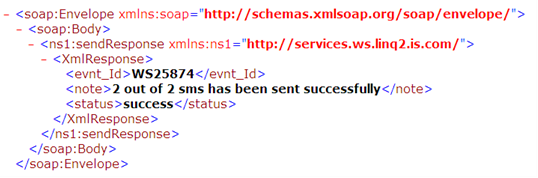
Sample SOAP Response